Skip to content

A LITTLE APP. A BIG PART OF YOUR DAY.

More selling.
Less juggling.

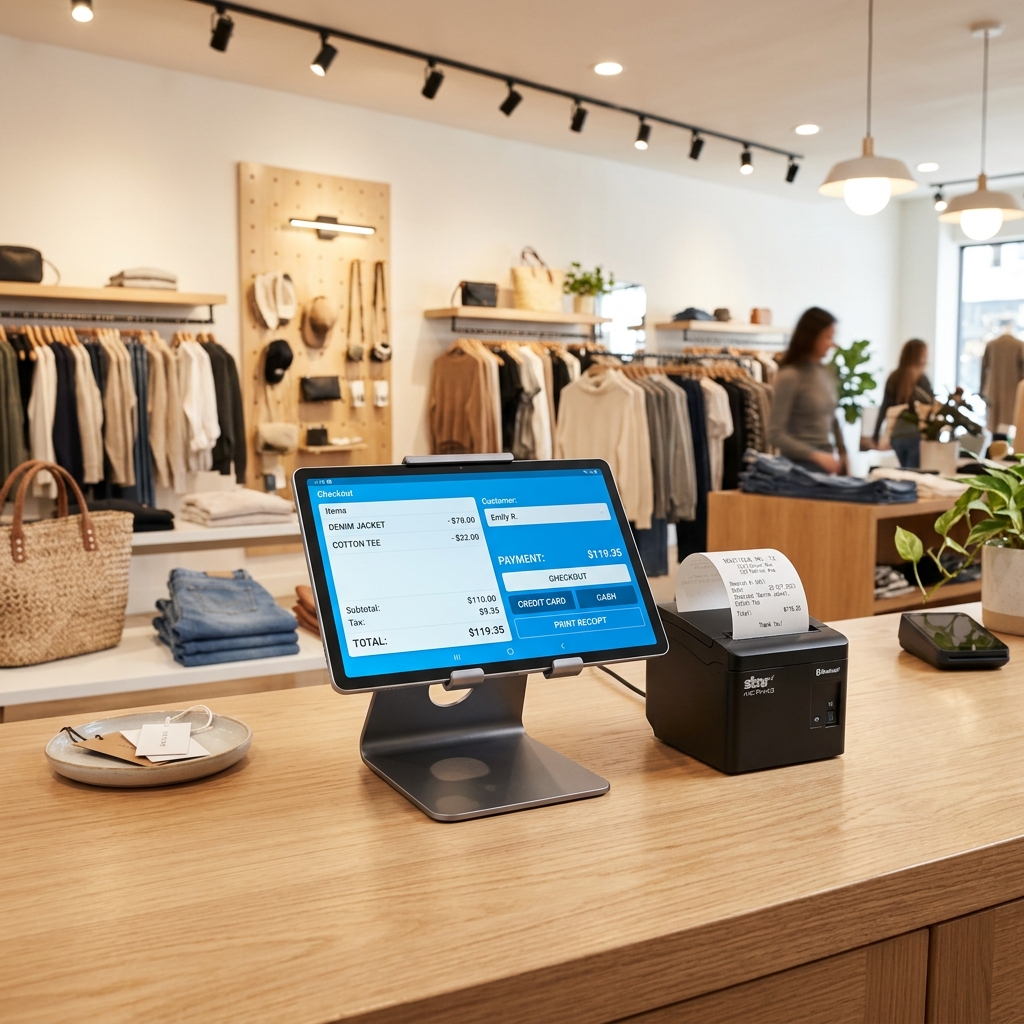
Turn any tablet or phone into your sales counter. Take orders, handle checkout, and keep the day in order—at your shop, café, or next pop-up.

Free to download. Free to use.**With Lite features. More features as you grow.

Any tablet. Any phone.

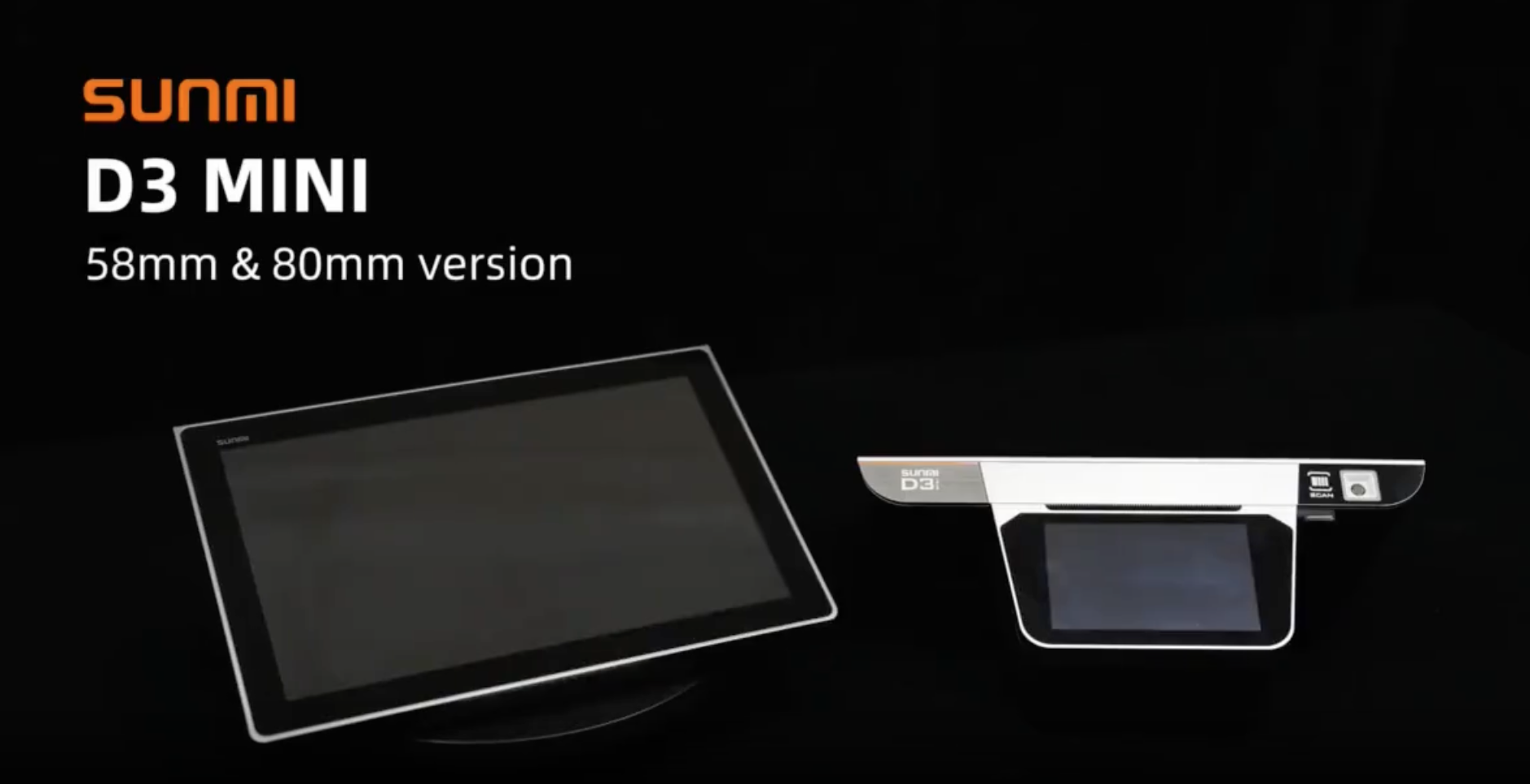
Order Centra POS on SUNMI D3 Mini. Hardware sold separately.

Keep checkout movingProducts → payment → receipt
Sell through a connection dropOffline sales. Sync when reconnected.
Know how the day wentShifts, sales, and cloud reports

YOUR BUSINESS IS NOT ONE-SIZE-FITS-ALL

Different counters. Same possibilities.

Choose your kind of business. See how the POS fits your day.

Retail shopsAn example of your everyday
01 / Retail shops

Find the right size. Make the sale.

From a neighbourhood shop to a growing boutique, keep products, variations, and checkout together at the counter.

  • Scan or search for products
  • Choose sizes, colours, and variants
  • Keep receipts and customer records

Less switching between tools. More attention for the person in front of you.

Step inside the app

A DAY AT YOUR COUNTER

From “we’re open”
to “see you tomorrow.”

Explore the real app, one useful moment at a time.

AT THE COUNTER / 01

The right product. Without the hunt.

Browse categories, search or scan, then select the variant your customer wants. Your cart keeps the order in view.

Keep the conversation going while you build the order.

Actual app screens with example data.

Wi-Fi takes a break.
You keep selling.

Record sales on your Android device when the connection drops. Sync supported data when you reconnect.

Sell offlineReconnectSync records
Setup, cloud reports, syncing, and online payment services need internet.
FOR THE OWNER, TOO

A clearer view.
Even away from the till.

See sales across items, cashiers, payment types, and stores in your cloud reports. Find the records behind the day’s totals.

THE LITTLE THINGS ADD UP

Built around the work
you actually do.

Useful tools for the counter, the team, and the person making tomorrow’s decisions.

Products, your way

Categories, variants, barcodes, and price labels keep a growing catalog easier to navigate.

Promotions with a purpose

Set up discounts and coupons so your team can apply the right offer at checkout.

Keep the totals clear

Configure tax settings and payment methods for the way your business sells.

An order can wait

Save open tickets and organise tables. Pick up where you left off when the customer is ready.

A counter for your team

Manage cashier access, employees, and shifts so people work with the access they need.

Room for another outlet

Manage multiple stores and POS devices within your business account, with store-specific access.

Remember the customer

Keep customer details alongside sales so a purchase has more context than a receipt number.

Know what is working

Review sales by item, category, employee, payment type, and store in your cloud reports.

Start free with Lite features. The full features shown here depend on your plan and setup. Compare plans

SUNMI D3 Mini POS counter bundleOCPOS.MY

YOUR COUNTER. YOUR SETUP.

Your tablet. Your phone. Your checkout.

Start on any tablet or phone you already have. When you want a dedicated counter, explore POS devices, receipt printers, and cash drawers at our Malaysian OCPOS store.

Your tablet or phoneHardware when you need it
Find your counter setupHardware sold separately. Check compatibility before purchasing.

WHEN YOUR BUSINESS GROWS

Your counter is just the beginning.

Keep POS at the heart of your shop. Connect the next part of your business when you need it.

Connected apps require an eligible plan and configuration. Explore the whole business flow

FREE WITH LITE FEATURES

Your next sale
starts here.

Download the Android app, get your shop ready, and start with the essentials. Add more when it makes sense for you.

No credit card to create an account. Additional features follow your plan.
  1. 01

    Download

    Get Order Centra POS free from Google Play.

  2. 02

    Make it your shop

    Create your account, add a store, and set up products and payments.

  3. 03

    Make your first sale

    Start with Lite features. Explore additional tools as you grow.

LET’S MAKE IT CLEAR

Good questions.
Straight answers.

See plans & trial details
Is it really free to download and use?

Yes. Download Order Centra POS from Google Play and use it free with Lite features. The full set of features shown on this page is not all included in Lite. Additional features, cloud modules, and usage limits depend on your plan. Hardware is sold separately.

Can I use any tablet or phone?

Yes. Order Centra POS works on tablets and phones, so you can start with the device you already have. The Android app is available on Google Play. Add a compatible printer or a dedicated POS terminal when you need one.

What works when the internet goes down?

The Android POS supports recording sales offline and syncing supported data after reconnection. Internet is needed for initial account setup, cloud reports, and syncing. Online payment methods may also require a connection.

Can I run more than one shop?

Yes. Manage multiple stores, devices, and team members in the same business account. Access, device allowances, and available management features follow your plan and the permissions you configure.

Where can I buy a POS device or printer?

Browse devices, receipt printers, cash drawers, and counter bundles at our Malaysian OCPOS store. Hardware purchases are separate from your software plan. Check compatibility before ordering.

How do I try additional features?

Create your free account and verify your email. Eligible accounts can activate a trial after WhatsApp phone verification. Your dashboard or plan page shows the current trial duration, included apps, and limits before activation.